ClickUp Integration: How It Streamlines Workflows and Improves Team Productivity

In today’s fast-paced business environment, organizations need tools that help teams collaborate efficiently, automate repetitive tasks, and keep projects on track. ClickUp integration has become a popular solution for businesses looking to connect their favorite applications and create a centralized workspace for project management, communication, and productivity.
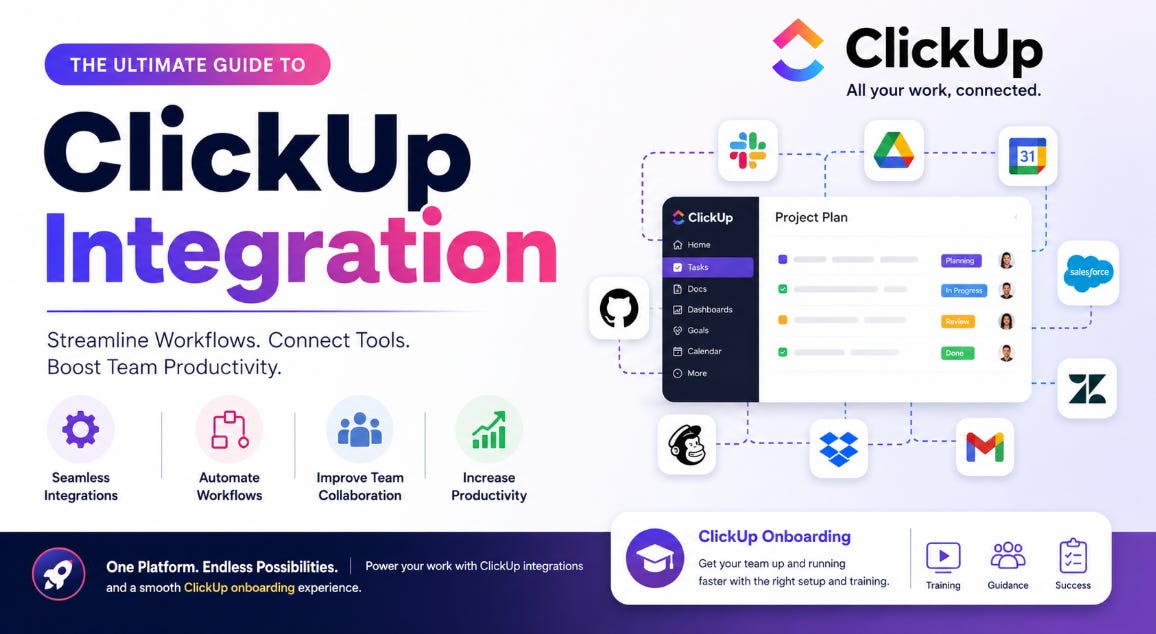
Whether you’re managing a startup, a growing business, or a large enterprise, integrating ClickUp with your existing tools can help eliminate manual work, improve visibility, and enhance team collaboration. Combined with effective ClickUp onboarding, organizations can maximize the platform’s capabilities and accelerate user adoption.
In this guide, we’ll explore what ClickUp integration is, its benefits, popular integrations, and best practices for successful implementation.
What Is ClickUp Integration?
ClickUp integration refers to the process of connecting ClickUp with other software applications to enable seamless data sharing, automation, and workflow management.
Instead of switching between multiple platforms throughout the day, users can centralize tasks, communications, files, and updates within ClickUp. Integrations allow teams to synchronize information across tools and reduce repetitive manual processes.
Examples include connecting ClickUp with:
Communication platforms
CRM systems
Cloud storage applications
Marketing tools
Time tracking software
Customer support platforms
Development and collaboration tools
These integrations help create a more connected and efficient work environment.
Why Businesses Use ClickUp Integration
Organizations often use multiple software solutions to manage operations. Without proper integration, teams may spend valuable time manually transferring information between systems.
A well-planned ClickUp integration strategy offers several advantages:
Improved Productivity
Employees spend less time performing repetitive tasks and more time focusing on strategic work.
Better Collaboration
Teams can access project updates, files, conversations, and tasks from a centralized location.
Reduced Errors
Automated workflows help eliminate mistakes that commonly occur during manual data entry.
Enhanced Visibility
Managers gain a complete view of projects, deadlines, and team performance across departments.
Faster Decision-Making
Real-time data synchronization helps teams make informed decisions quickly.
Popular ClickUp Integrations
One of ClickUp’s biggest strengths is its ability to connect with numerous business applications.
Communication Tools
Many organizations integrate ClickUp with messaging and collaboration platforms to improve communication.
Benefits include:
Instant task notifications
Project updates
Team collaboration
Faster response times
Cloud Storage Platforms
Integrating cloud storage solutions allows users to attach files directly to tasks and projects.
Advantages include:
Easy file access
Centralized document management
Improved version control
Reduced duplication
CRM Systems
Sales and customer relationship management teams often use ClickUp integration to connect customer information with project workflows.
This helps teams:
Track customer requests
Manage sales pipelines
Improve follow-ups
Coordinate cross-functional projects
Time Tracking Tools
Time tracking integrations help organizations monitor productivity and project profitability.
Benefits include:
Accurate billing
Resource planning
Performance measurement
Better project forecasting
Development Platforms
Software development teams frequently integrate ClickUp with coding and issue-tracking tools.
These integrations support:
Bug tracking
Sprint planning
Task management
Development workflow automation
Understanding ClickUp Onboarding
While integrations are important, organizations also need a structured ClickUp onboarding process to ensure long-term success.
ClickUp onboarding refers to the training, setup, and adoption process that helps users learn how to effectively use the platform.
Without proper onboarding, teams may struggle to understand workflows, resulting in low adoption rates and reduced productivity gains.
Benefits of Effective ClickUp Onboarding
Successful ClickUp onboarding helps organizations realize the full value of their investment.
Faster User Adoption
Employees become comfortable using the platform more quickly.
Increased Productivity
Users learn best practices and efficient workflows from the start.
Better Data Organization
Teams establish consistent processes for tasks, projects, and reporting.
Reduced Training Costs
A structured onboarding process minimizes confusion and support requests.
Stronger Team Collaboration
Employees understand how to communicate and collaborate effectively within ClickUp.
Key Steps in ClickUp Onboarding
A successful onboarding process should be carefully planned and tailored to the organization’s needs.
1. Define Business Goals
Before implementing ClickUp, identify your primary objectives.
Examples include:
Project management improvement
Workflow automation
Team collaboration
Task tracking
Resource management
Clearly defined goals help guide platform configuration and integration decisions.
2. Set Up Workspace Structure
Organize your ClickUp environment in a way that aligns with business operations.
This may include:
Departments
Teams
Projects
Client accounts
Functional areas
A logical structure makes navigation easier and improves usability.
3. Configure Workflows
Customize task statuses, priorities, automations, and reporting features based on organizational requirements.
Standardized workflows promote consistency across teams.
4. Implement ClickUp Integration
Connect essential business tools to create seamless workflows.
Common integration priorities include:
Communication platforms
CRM systems
File storage tools
Marketing applications
Support systems
Integrations should support existing business processes rather than complicate them.
5. Train Users
Provide role-based training to ensure employees understand how to use ClickUp effectively.
Training should cover:
Task creation
Project management
Reporting
Collaboration features
Automation tools
6. Monitor Adoption
Track user engagement and gather feedback regularly.
Continuous improvement helps maximize long-term success.
Common Use Cases for ClickUp Integration
Organizations across industries use ClickUp integrations to streamline operations.
Marketing Teams
Marketing departments often integrate ClickUp with content management, analytics, and communication tools.
This helps manage:
Campaign planning
Content calendars
Team collaboration
Performance tracking
Sales Teams
Sales professionals use integrations to synchronize customer information and improve lead management.
Benefits include:
Pipeline visibility
Task automation
Follow-up tracking
Customer engagement
HR Departments
Human resources teams leverage ClickUp for:
Employee onboarding
Recruitment tracking
Performance management
Training programs
IT and Development Teams
Technical teams use integrations to support:
Software development
Bug tracking
Change management
Agile project workflows
Best Practices for Successful ClickUp Integration
Organizations can maximize results by following proven integration strategies.
Start With Essential Integrations
Focus on the tools your team uses most frequently.
Avoid connecting every application at once.
Standardize Processes
Create consistent workflows before implementing integrations.
Automation works best when processes are clearly defined.
Prioritize User Experience
Integrations should simplify workflows rather than create additional complexity.
Test Before Full Deployment
Conduct testing with a small group before rolling out integrations company-wide.
Review Regularly
Business needs evolve over time.
Periodically review integrations and workflows to ensure they continue supporting organizational goals.
Common Challenges During ClickUp Onboarding
Although onboarding offers significant benefits, organizations may encounter challenges during implementation.
These may include:
Resistance to change
Lack of training
Poor workflow planning
Overcomplicated workspace structures
Insufficient communication
Addressing these issues early can improve adoption rates and overall success.
The Future of ClickUp Integration
As businesses continue adopting digital transformation strategies, integrated work management platforms are becoming increasingly important.
Future trends may include:
Enhanced AI-powered automation
Smarter workflow recommendations
Advanced reporting capabilities
Deeper third-party integrations
Improved collaboration features
Organizations that invest in effective ClickUp integration and ClickUp onboarding are better positioned to improve efficiency, scalability, and team performance.
Conclusion
ClickUp integration enables businesses to connect their favorite tools, automate workflows, and create a more efficient work environment. By reducing manual effort and improving collaboration, integrations help teams stay focused on high-value work.
At the same time, successful ClickUp onboarding ensures employees understand how to use the platform effectively, driving adoption and long-term productivity gains. Together, integration and onboarding create a strong foundation for streamlined operations, better project management, and sustainable business growth.
Frequently Asked Questions (FAQs)
What is ClickUp integration?
ClickUp integration is the process of connecting ClickUp with other software applications to automate workflows, share data, and improve collaboration.
Why is ClickUp integration important?
It helps businesses reduce manual work, improve productivity, centralize information, and streamline project management processes.
What is ClickUp onboarding?
ClickUp onboarding is the process of setting up the platform, training users, and helping teams adopt ClickUp effectively within their organization.
Which tools can integrate with ClickUp?
ClickUp can integrate with communication platforms, CRM systems, cloud storage tools, time tracking software, development platforms, and many other business applications.
How long does ClickUp onboarding take?
The duration depends on organization size, complexity, user training requirements, and the number of integrations being implemented.
Can small businesses benefit from ClickUp integration?
Yes. Small businesses often use ClickUp integrations to automate tasks, improve team collaboration, and manage projects more efficiently.
What are the biggest benefits of ClickUp onboarding?
Key benefits include faster adoption, improved productivity, better workflow management, enhanced collaboration, and reduced training challenges.
How can businesses ensure successful ClickUp integration?
Organizations should define goals, standardize workflows, implement essential integrations first, provide proper training, and regularly review performance.